Personal Kanban Board for Solo Work
Visual task management designed for one person. Drag-and-drop your work across custom columns, switch between kanban and list views, and stay focused—without team features cluttering your workflow.

Available on iPhone, iPad, and Mac • Free plan available
See Your Work, Not Team Features
Most kanban tools are built for teams, adding complexity you don't need. Solocrafter gives you the power of kanban without the noise.
- Drag-and-drop tasks across columns effortlessly
- Create custom statuses that match your workflow
- Switch between kanban and list views instantly
- No team permissions, notifications, or collaboration overhead
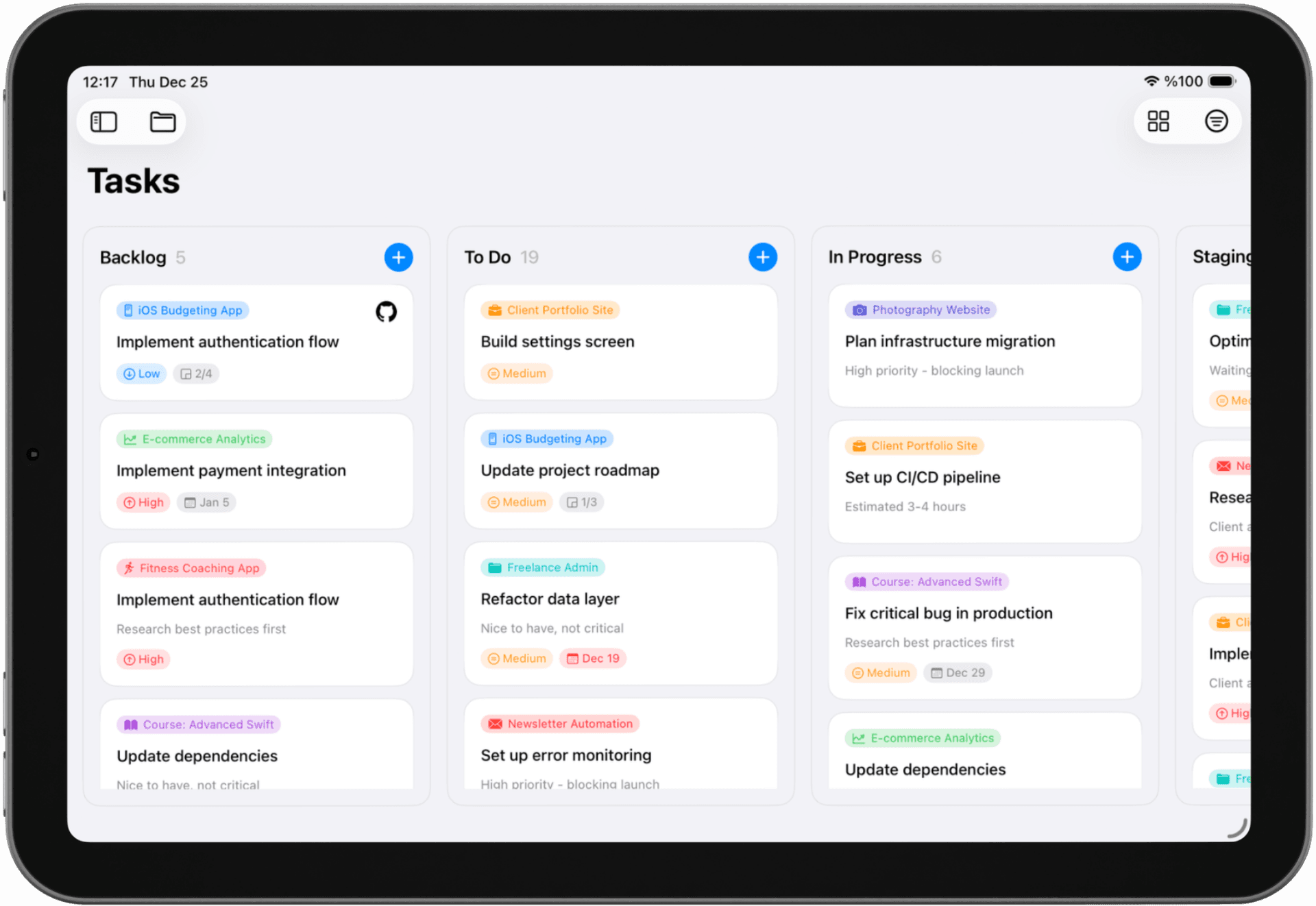
Kanban Designed for Individual Work
Personal kanban helps you visualize your work, limit multitasking, and make steady progress—without the complexity of team-focused tools.
Solocrafter brings kanban methodology to solo professionals.
Visual Kanban Boards
- • See all your tasks organized by status
- • Drag cards from "To Do" to "Doing" to "Done"
- • Multiple projects with separate boards
Customizable Columns
- • Create statuses that match your process
- • Rename, reorder, and organize columns your way
- • Different workflows for different projects
Drag-and-Drop Interface
- • Move tasks with natural gestures
- • Reorder priorities within columns
- • Fast, responsive native interface
Flexible Views
- • Switch between kanban and list views
- • Use board view for visual planning
- • Use list view for focused execution
Perfect for Solo Professionals
Developers
Move features from backlog to development to testing. Visualize progress on personal projects.
Designers
Track projects from ideation to design to delivery. Manage revisions across multiple clients.
Content Creators
Plan content from idea to draft to published. Keep editorial calendars visually organized.
Your Kanban Board on All Your Devices
Access your personal kanban board on iPhone, iPad, and Mac. Changes sync automatically via iCloud, so your workflow stays with you wherever you work.
iPhone
Quick updates on the go. Drag tasks between columns with touch gestures.
iPad
See more of your board at once. Perfect for planning and organizing sessions.
Mac
Full desktop experience. Manage your kanban board while you work.
Frequently Asked Questions
What is a personal kanban board?
A personal kanban board is a visual task management system designed for one person. It helps you visualize your work by moving tasks across columns like "To Do," "In Progress," and "Done." Unlike team kanban tools, personal kanban focuses on individual productivity without team features or collaboration clutter.
How do I use kanban for personal projects?
Start by creating columns that match your workflow—commonly "To Do," "Doing," and "Done." Add tasks as cards, then drag them across columns as you work. Limit work-in-progress to stay focused. Solocrafter makes this simple with customizable statuses, drag-and-drop, and the ability to switch between kanban and list views.
Is kanban good for solo developers and individual work?
Yes. Personal kanban is excellent for solo work because it gives you visual clarity on what needs to be done without the overhead of team features. It helps you focus, limit multitasking, and see progress at a glance—perfect for developers, designers, writers, and anyone working independently.
Can I customize my personal kanban board columns?
Absolutely. Solocrafter lets you create custom statuses and organize them however you want. Whether you prefer simple "To Do / Done" or detailed workflow stages like "Backlog / In Progress / Review / Complete," you can design your board to match your process.
What is the best kanban app for one person?
The best personal kanban app should be simple, visual, and designed for individual use without team clutter. Solocrafter offers kanban boards with drag-and-drop, custom columns, flexible views, and privacy-first design—all optimized for solo work on iPhone, iPad, and Mac.
Start Using Personal Kanban Today
Join solo professionals who use visual kanban boards to stay organized and focused—without team bloat.

Free to download • No credit card required • Cancel anytime