Your iPad Can Be Your
Productivity Powerhouse
A task manager that treats your iPad like the powerful device it is. Manage projects, track tasks, and stay organized whether you are at your desk or on the go.

Works on iPad Pro, iPad Air, iPad mini • Syncs with iPhone & Mac • Free plan available
Finally, Real Productivity on iPad
You bought an iPad Pro to get work done. But most task managers treat it like a big phone—stretched interfaces, missing features, and awkward interactions.
Solocrafter is different. Built from scratch for iPad productivity.
- Plan your week with visual Kanban boards that use the full screen
- Work on tasks while referencing documents in Split View
- Capture ideas quickly with keyboard, Pencil, or touch
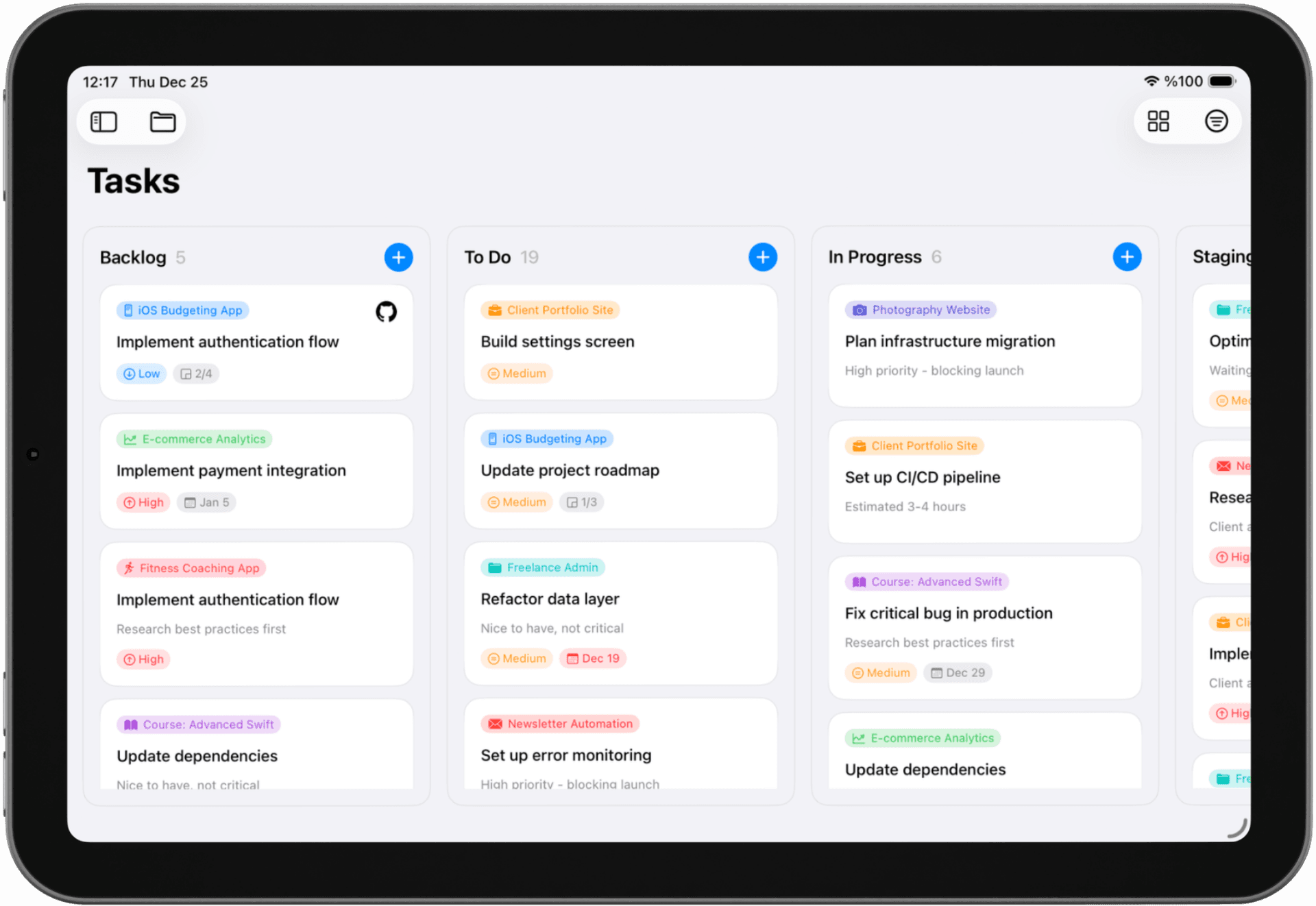
Everything You Need to Work From iPad
Your iPad is powerful enough to be your main device. Your task manager should take full advantage of that.
Mobile Office, Full Power
- • Not a scaled-up phone app—built for iPad from day one
- • Uses every inch of your iPad display effectively
- • Split View support—work alongside Safari, Notes, Mail
- • Slide Over for quick task capture without switching apps
Keyboard & Trackpad Ready
- • Full keyboard shortcuts for every action
- • Trackpad gestures for drag-and-drop organization
- • Works with Magic Keyboard, Smart Keyboard, or Bluetooth
- • Navigate without touching the screen if you prefer
Capture Ideas Anywhere
- • AI understands natural language—just describe your task
- • Apple Pencil friendly for quick handwritten notes
- • Scribble support to write anywhere in the app
- • Works completely offline—capture ideas on the plane
Seamless Sync Across Devices
- • Start on iPad, continue on Mac or iPhone
- • iCloud sync happens automatically—no setup needed
- • Your data stays in YOUR iCloud, not third-party servers
- • No separate account required—just your Apple ID
Perfect for iPad-First Workflows
Whether you use iPad as your primary device or your travel companion, Solocrafter adapts to how you work.
Mobile Professionals
Travel for work? Turn your iPad into a complete productivity system. Plan on the plane, execute at the hotel, review on the train.
Students & Researchers
Manage coursework, research tasks, and deadlines. Use Split View to reference PDFs while updating your project status.
Creatives on the Go
Writers, illustrators, designers: organize your creative projects on the same device you use to create.
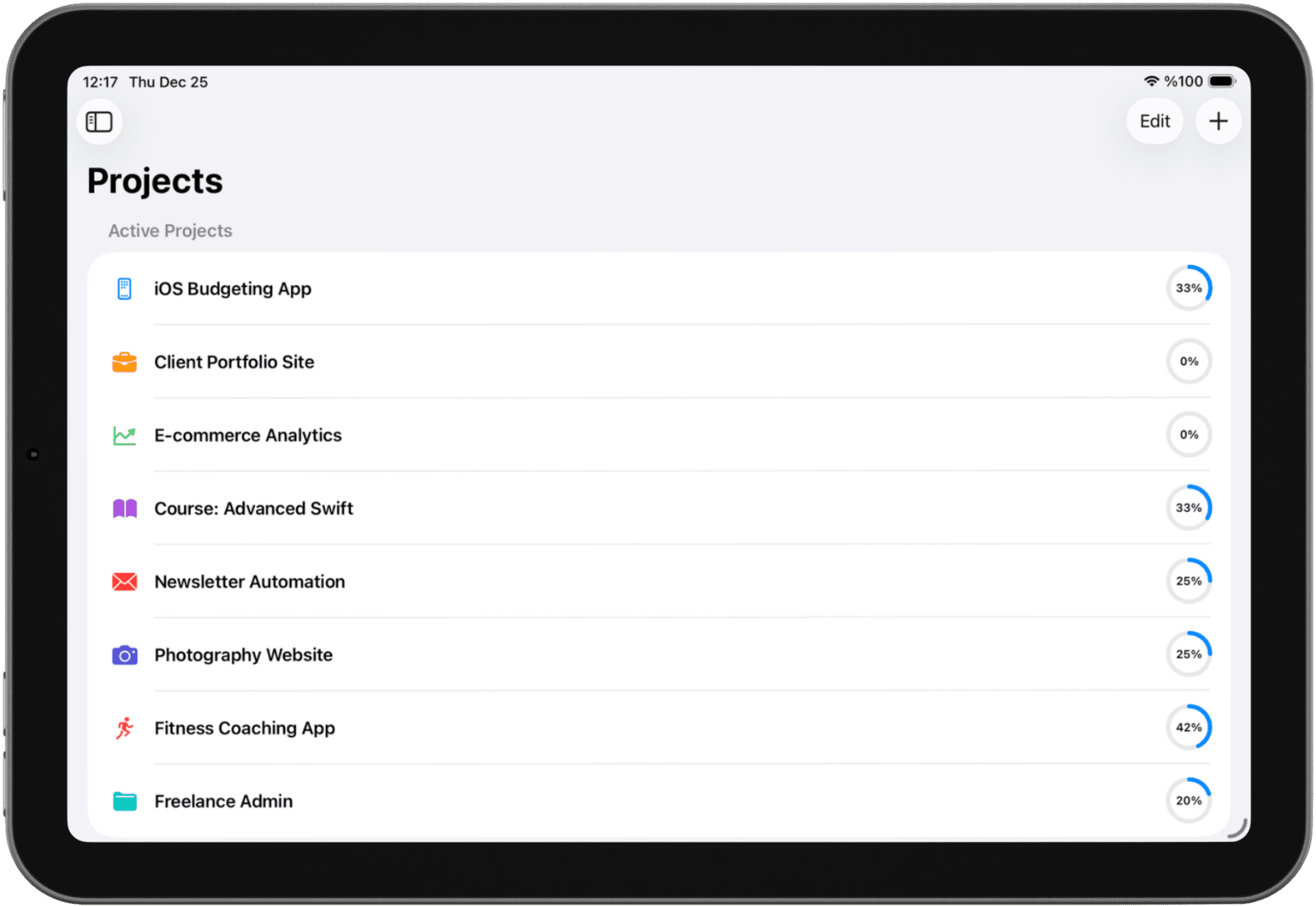
Time Tracking Built Right In
Freelancers and consultants: track your time on any task with a single tap. See total hours per project for accurate billing.
- One-tap timer on any task
- Total hours per project for client billing
- Track even when offline—syncs when you reconnect
- Learn more about time tracking
Frequently Asked Questions
Can I actually get work done using just my iPad?
Absolutely. Solocrafter is built for iPad-first workflows. With full keyboard support, Split View multitasking, and offline capabilities, you can manage all your projects, track deadlines, and stay organized without needing a Mac. Many users use Solocrafter on iPad as their primary productivity tool.
Does it work with Magic Keyboard and trackpad?
Yes. Solocrafter has full keyboard shortcut support and trackpad gestures. Create tasks, navigate projects, and drag-and-drop to organize—all without touching the screen. Works with Magic Keyboard, Smart Keyboard Folio, and any Bluetooth keyboard.
Can I use Solocrafter alongside other apps in Split View?
Yes. Solocrafter fully supports iPadOS multitasking including Split View and Slide Over. Work on tasks while referencing Safari, reviewing documents in Files, or taking notes. The interface adapts intelligently to different screen sizes.
Will my tasks sync to my iPhone and Mac?
Everything syncs automatically via iCloud. Capture a task on your iPad, and it appears instantly on your iPhone and Mac. No separate account needed—just your Apple ID. All data stays private in your personal iCloud.
Does it work offline when I am traveling?
Yes. Solocrafter works completely offline—perfect for flights, train rides, or anywhere without WiFi. Create, edit, and organize tasks without an internet connection. Everything syncs automatically when you reconnect.
Is this just an iPhone app stretched to fit iPad?
No. Solocrafter is built specifically for iPad with a native iPadOS interface. It takes full advantage of the larger screen with proper layouts for iPad Pro, iPad Air, and iPad mini. No stretched phone interfaces here.
Unlock Your iPad's Productivity Potential
Stop using phone apps on a powerful device. Get a task manager built for the way you work on iPad.

Free to download • No credit card required • Cancel anytime